Insurance
An inventory to hand to your insurer
After water damage or a burglary, the insurer asks for the list, the proof and the amounts. Tiroko keeps it ready, on your smartphone.
One entry per item
The Valuables template is ready to use. There is no quantity: one item, one entry.
The invoice stays with the item
The Invoice field takes a photo. It lives in the entry, next to the serial number and the purchase date.
Two documents, depending on the use
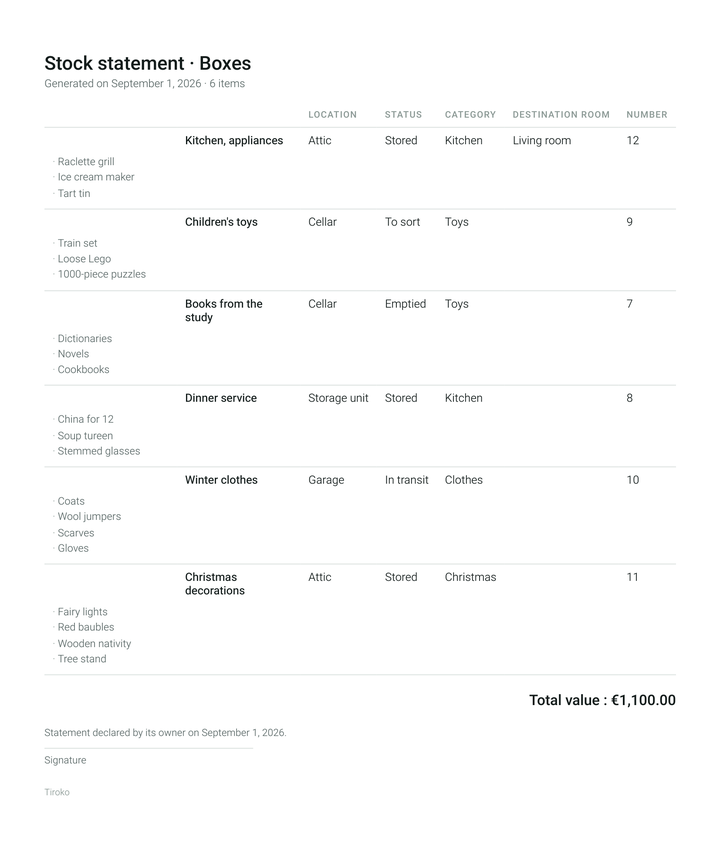
The inventory comes out as a PDF. The compact version gives one line per item with its thumbnails, for the overview. The detailed version gives one item per page with large photos: that is the one you send to an insurer.
What the document carries
Your name and address in the header. The total value, calculated. At the bottom, the wording “Statement declared by its owner on …” and a signature line.
What is in the full version
Stock value, the PDF inventory and multiple photos. The free version keeps one photo per entry.

